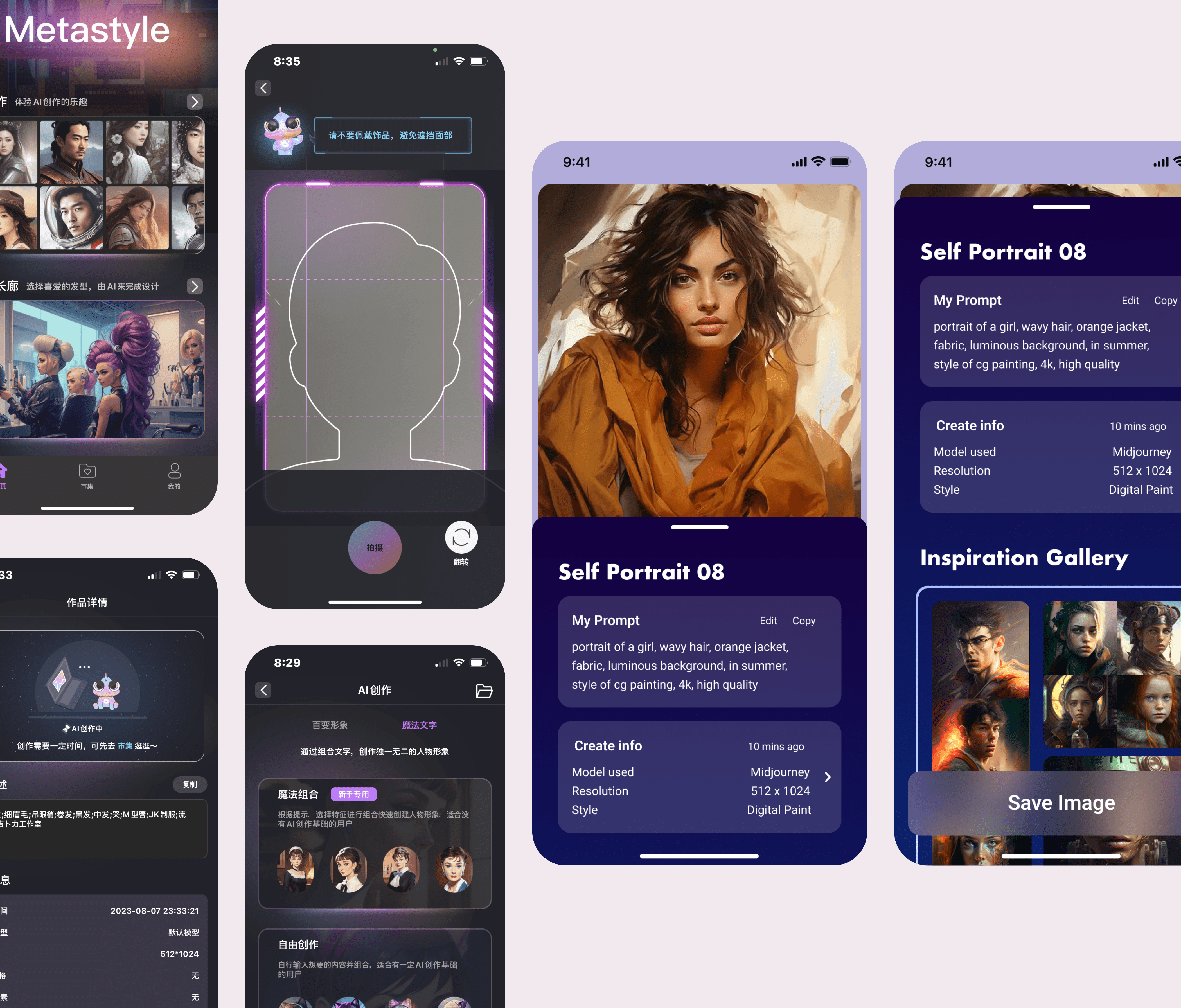
Overview
MetaStyle is a mobile generative-art app built on Stable Diffusion. I was the only designer on the team — one PM, two engineers — working as UX designer, prompt engineer, and researcher across a six-month internship (May–November 2023), in Figma and Miro on the design side, Stable Diffusion and Midjourney on the model side. The work centered on the two moments that make or break the app: how people prompt, and what they get back.
The problem
Three obstacles kept mobile image generation from satisfying anyone:
- Text-image alignment. Prompts failed to accurately depict all the attributes people described — the image ignored half the sentence.
- The body problem. Generated images came back with distorted, incomplete, or duplicated body parts — hands, notoriously.
- Aesthetic dissatisfaction. Even technically correct outputs deviated from what users found beautiful.
Research
I framed the question as user aesthetic satisfaction in context: not “is the model good,” but “does the result match what this person imagined?” I ran self-analysis across different Stable Diffusion models, prompting experiments with users, and comparative evaluations of identical prompts in different phrase formations. ChatGPT integration opened up alternative prompting methods, so we ran participatory sessions where users refined prompts with its help and judged the outputs.
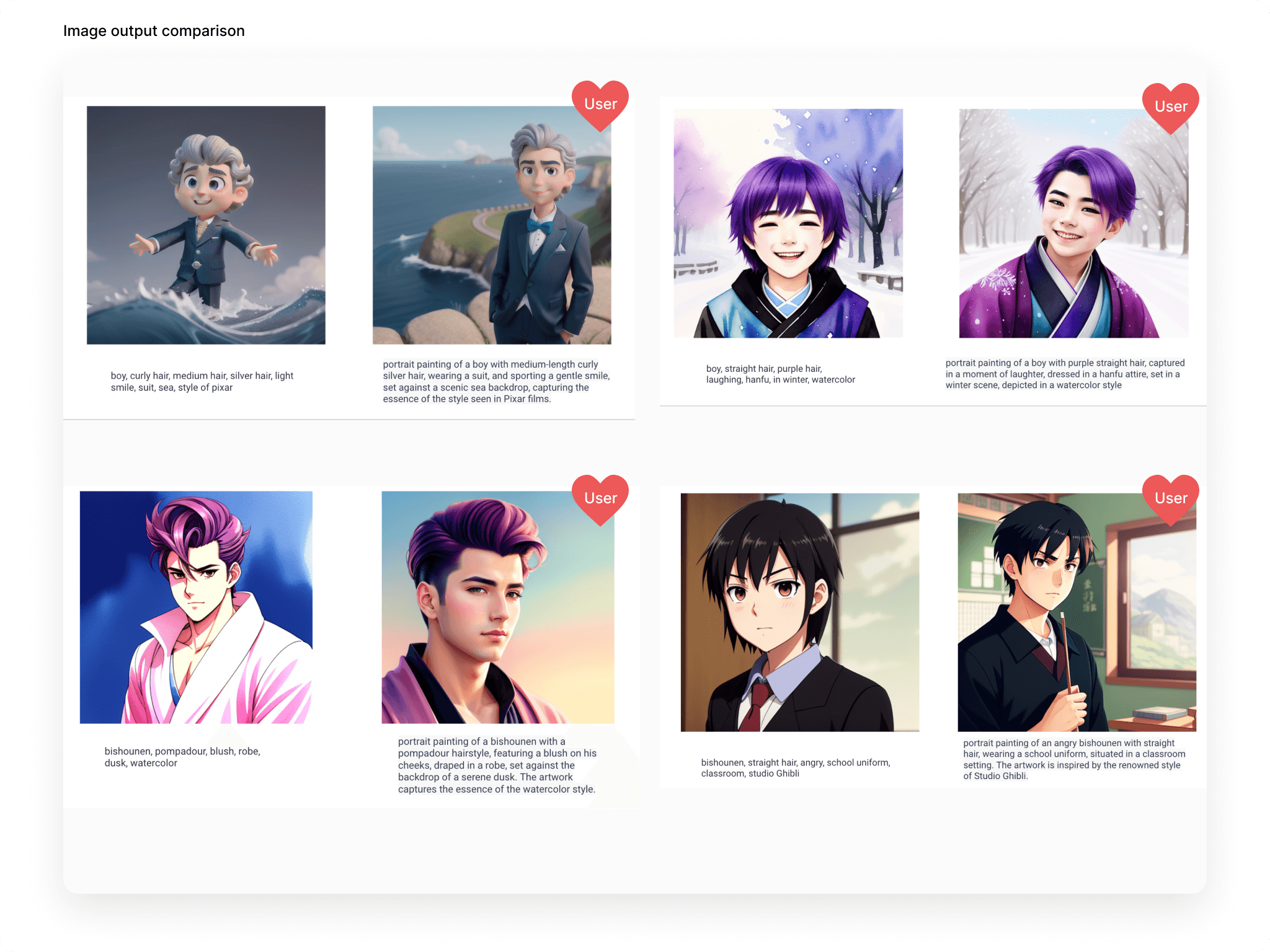
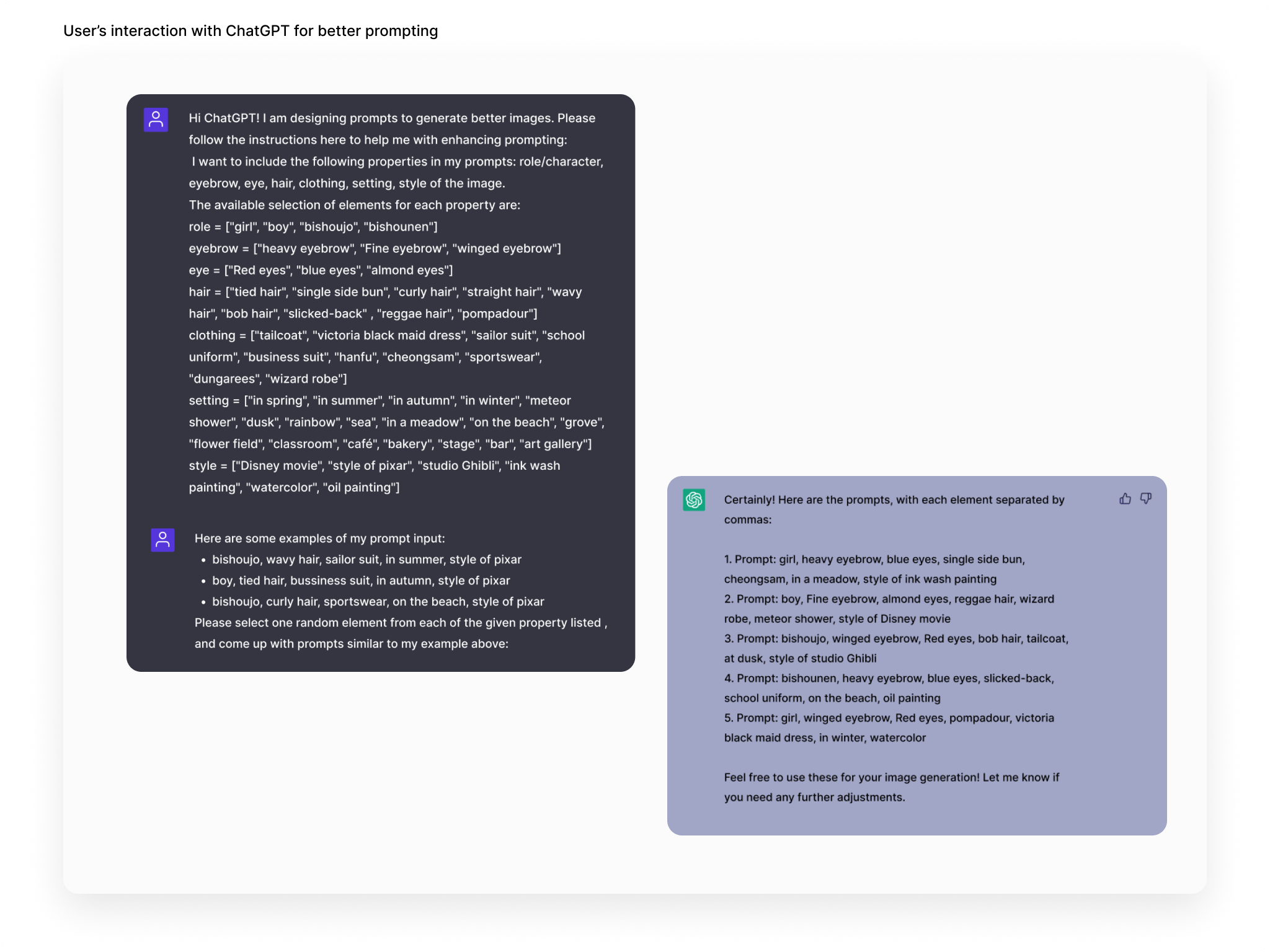
Our target users had minimal generative-AI experience, wanted the interaction light and fast, and cared about one thing: results that matched their conception of attractiveness. We used download likelihood as the satisfaction metric — if you’d keep it, it worked.
Design
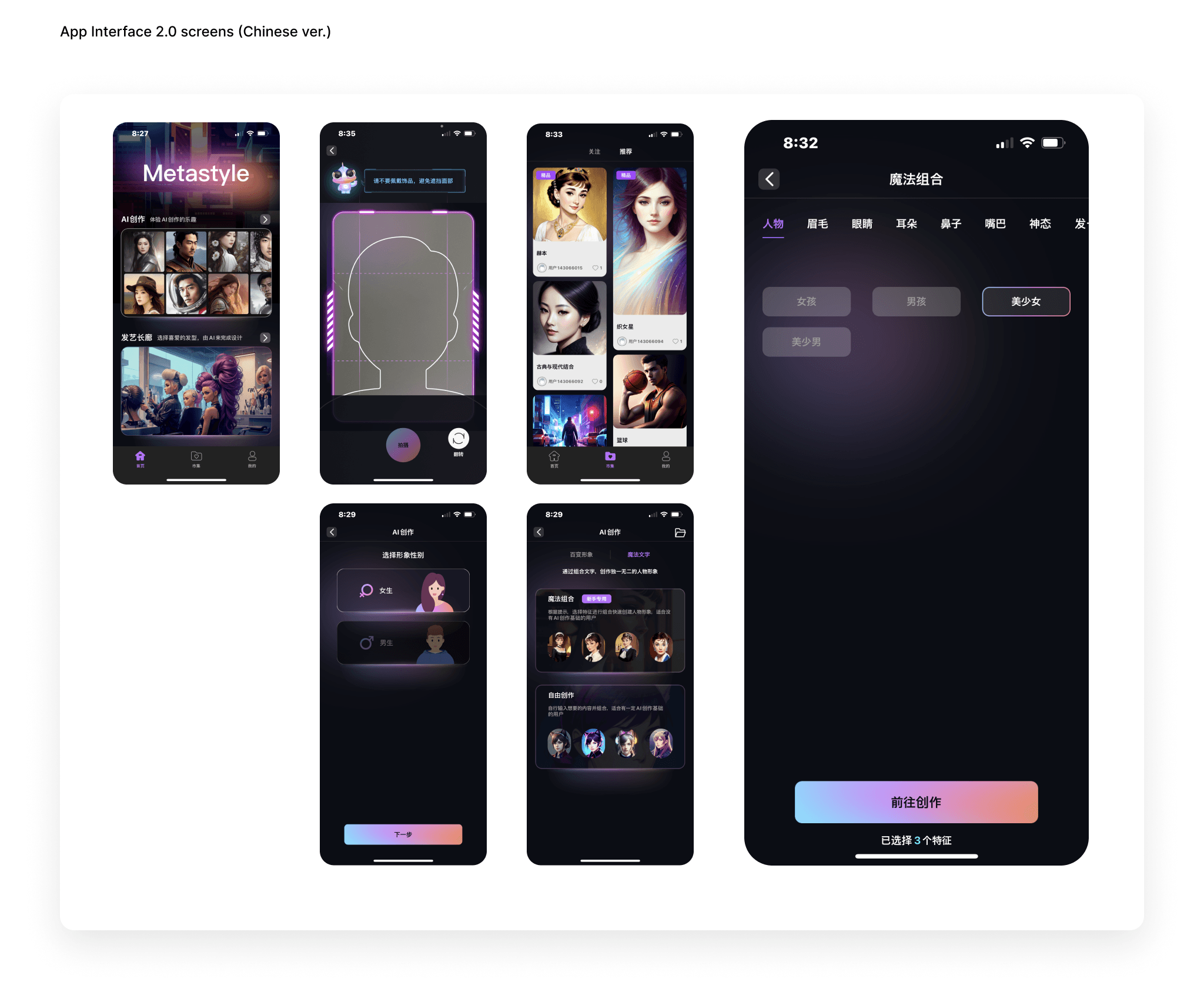
Stable Diffusion’s web interface offers everything; a phone can’t. With the PM I studied existing mobile AI art generators and curated ruthlessly: a prompting section, style and size selection, the generated output, and an inspiration gallery — each feature weighed against its impact on engagement.
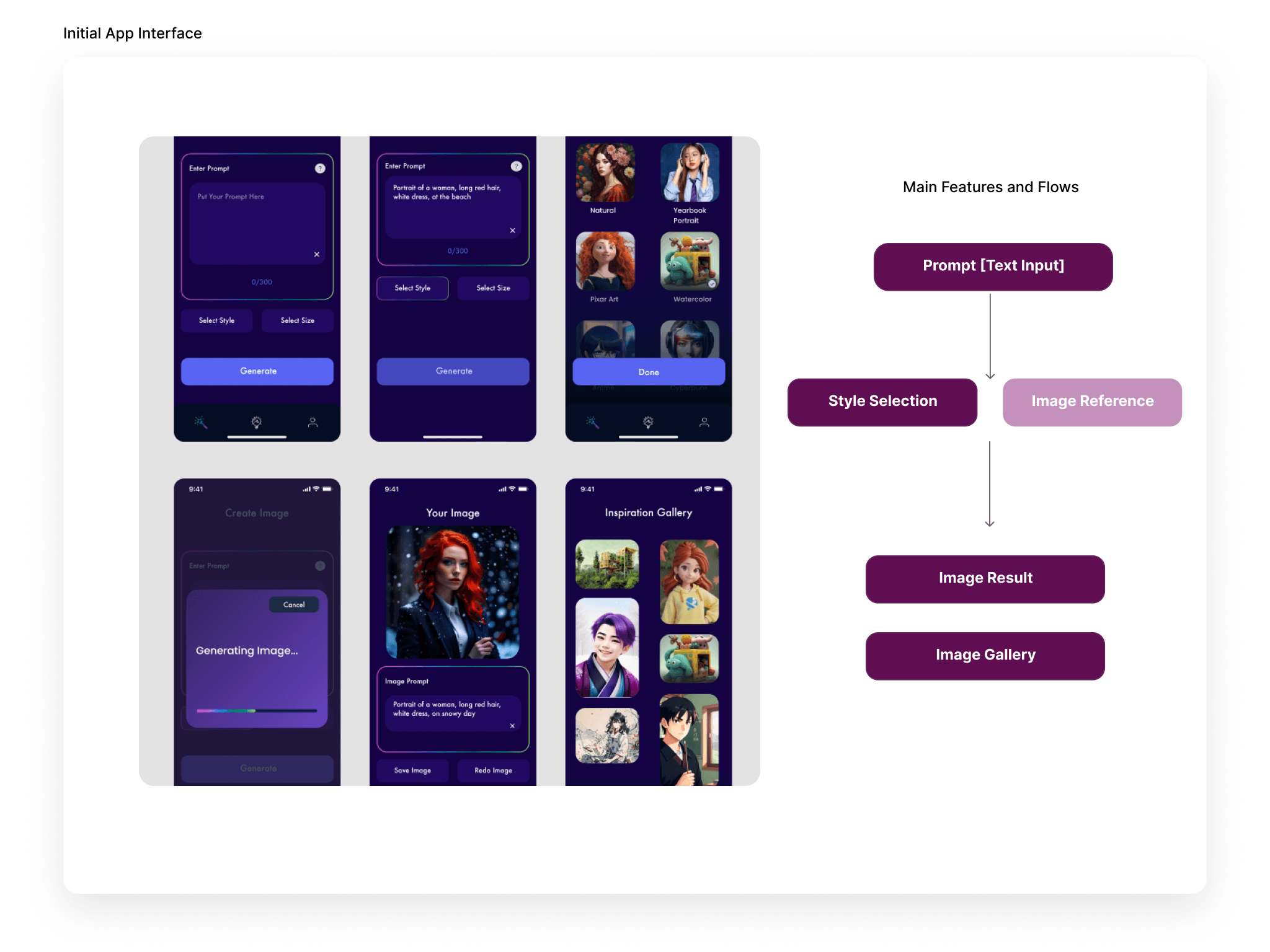
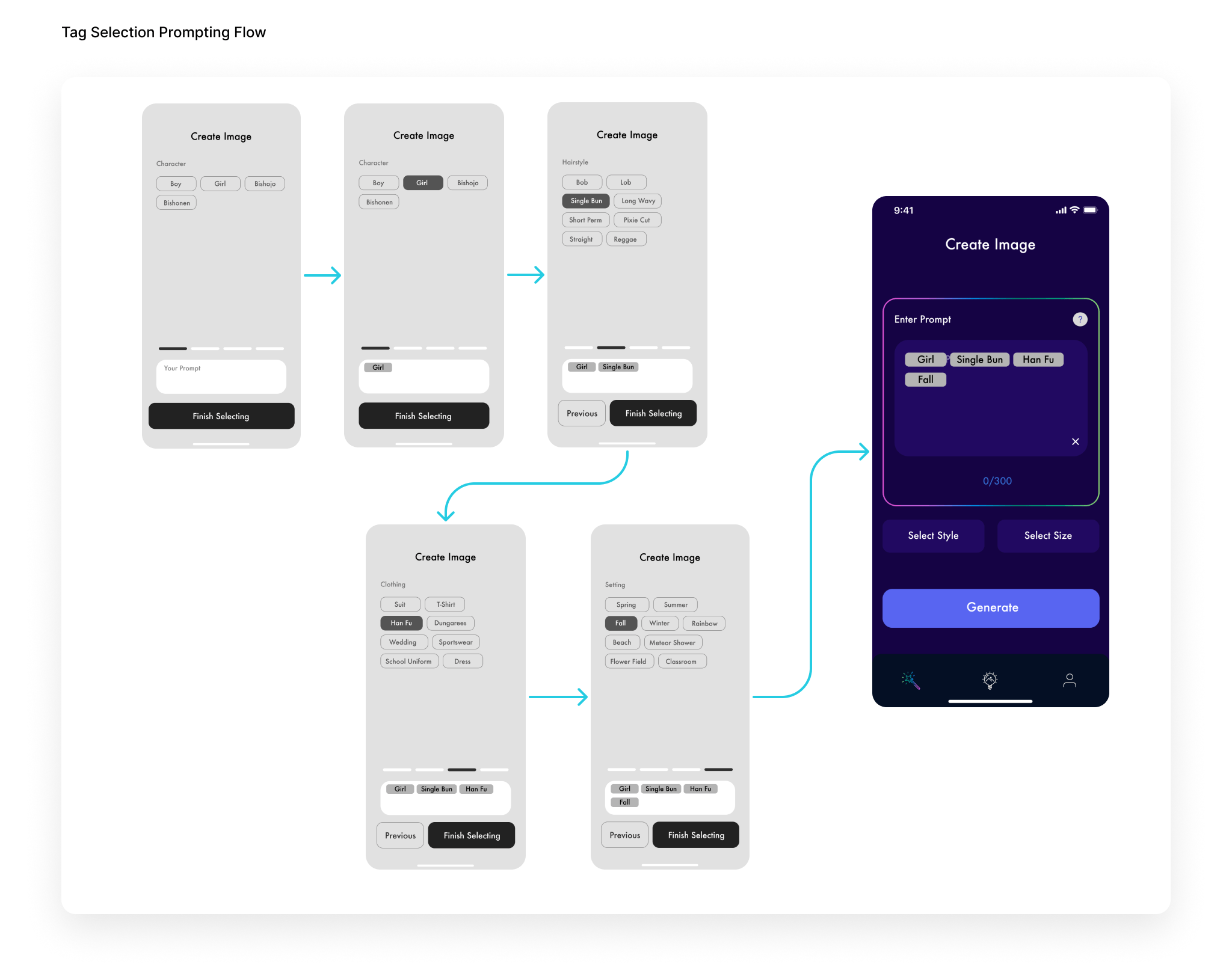
The bigger move was re-exploring prompting itself. Research showed segmented short phrases outperformed single words, so we refined the feature tree to surface only consistently high-performing options as selectable tags — predefined labels as starting points, with manual input still there for creative freedom. We also capped how many selections a user can stack, a system limit that keeps the model inside the range where it performs. Instead of staring at an empty text box, users compose from labels that are known to work. Less typing, lower cognitive load, faster to a good image.
Takeaways
Human-AI interaction is changing the way we design software. Making AI tools accessible means understanding how users interpret these systems and closing the expectation gap through the interface. Three prompting lessons I still use:
- Start small + large. Begin with a small/local and a large/global scope keyword for a solid base image that generates fast.
- Longer isn’t better. 5–10 short phrases, comma-separated, beat long detailed prompts; prompt length barely correlates with quality.
- Match subject to style. Pair subjects and styles that harmonize in their level of abstractness — a subject that fights the style’s conceptual tone loses.